介绍 cmdr-cxx
cmdr-cxx 是一个命令行参数处理框架,同时还提供应用程序设置集的集成能力
了解 cmdr-cxx
所以这里是 cmdr-cxx 的相关文档。 它是一个基于 C++17/C++20 的 header-only 软件包。
Tip
本文档进一步编写的计划表还没有被规划。
The roadmap of cmdr-cxx docs is staying on paper.
用 cmdr-cxx 编写一个微型 CLI app,可以是这样,
#include <cmdr-cxx.hh>

#include <cmath>
#include <complex>
#include <fstream>

#include <exception>
#include <iostream>
#include <sstream>
#include <stdexcept>
#include <string>

int main(int argc, char *argv[]) {
  auto &cli = cmdr::cli("app2", CMDR_VERSION_STRING, "Sample Authors",
                        "Copyright © 2021 by Sample Authors, All Rights Reserved.",
                        "A demo app for cmdr-c11 library.",
                        "$ ~ --help");

  try {
    // using namespace cmdr::opt;
    void add_test_menu(cmdr::app &cli);
    add_test_menu(cli);
  } catch (std::exception &e) {
    std::cerr << "Exception caught for testing (NOT BUG) : " << e.what() << '\n';
    CMDR_DUMP_STACK_TRACE(e);
  }

  return cli.run(argc, argv);
}

void add_test_menu(cmdr::app &cli) {
  using namespace cmdr::opt;

  cli += sub_cmd{}("test", "t", "test-command")
         .description("main tests commands for testing")
         .group("Test"); {
    auto &t1 = *(cli.last_added_command());
    t1 += sub_cmd{}("hello", "hi")
          .description("hello world in cmdr-cxx subcmd way")
          .group("Test")
          .on_invoke([](cmd const &cc, string_array const &) -> int {
            std::cout << "Hello, World!\n";

            auto &s = cmdr::get_store();

            // get the final value of a option object, directly
            const auto &k = s.get_raw_p(DEFAULT_CLI_KEY_PREFIX, "test.int");
            if (k.has_value())
              std::cout << "int.val:  " << k.as_string() << '\n';

            // the recommendatory way is getting the option's node in the app-store at first,
            auto sc = s.subtree(DEFAULT_CLI_KEY_PREFIX);
            assert(sc->is_null() == false);
            std::cout << "string:   " << sc->get_raw("test.string").as_string() << '\n';
            std::cout << "float:    " << sc->get_raw("test.float").as_string() << '\n';
            std::cout << "double:   " << sc->get_raw("test.double").as_string() << '\n';
            std::cout << '\n' << "int:      " << cc["int"].default_value() << '\n';
            return 0;
          });
    t1 += opt{10}("int", "i")
        .description("set the int-value");
    t1 += opt{""}("string", "str")
        .description("set the string-value");
    t1 += opt{3.13f}("float", "f")
        .description("flag float");
    t1 += opt{3.12}("double", "d")
        .description("flag double");
  }
}运行的效果为,
$ cd cmdr-cxx/
$ cmake -S . -B build
$ cmake --build build
$ ./bin/examples-simple-app test hi -i 13 -str hi,u-there
Hello, World!
int.val:  13
string:   "hi,u-there"
float:    3.13
double:   3.12

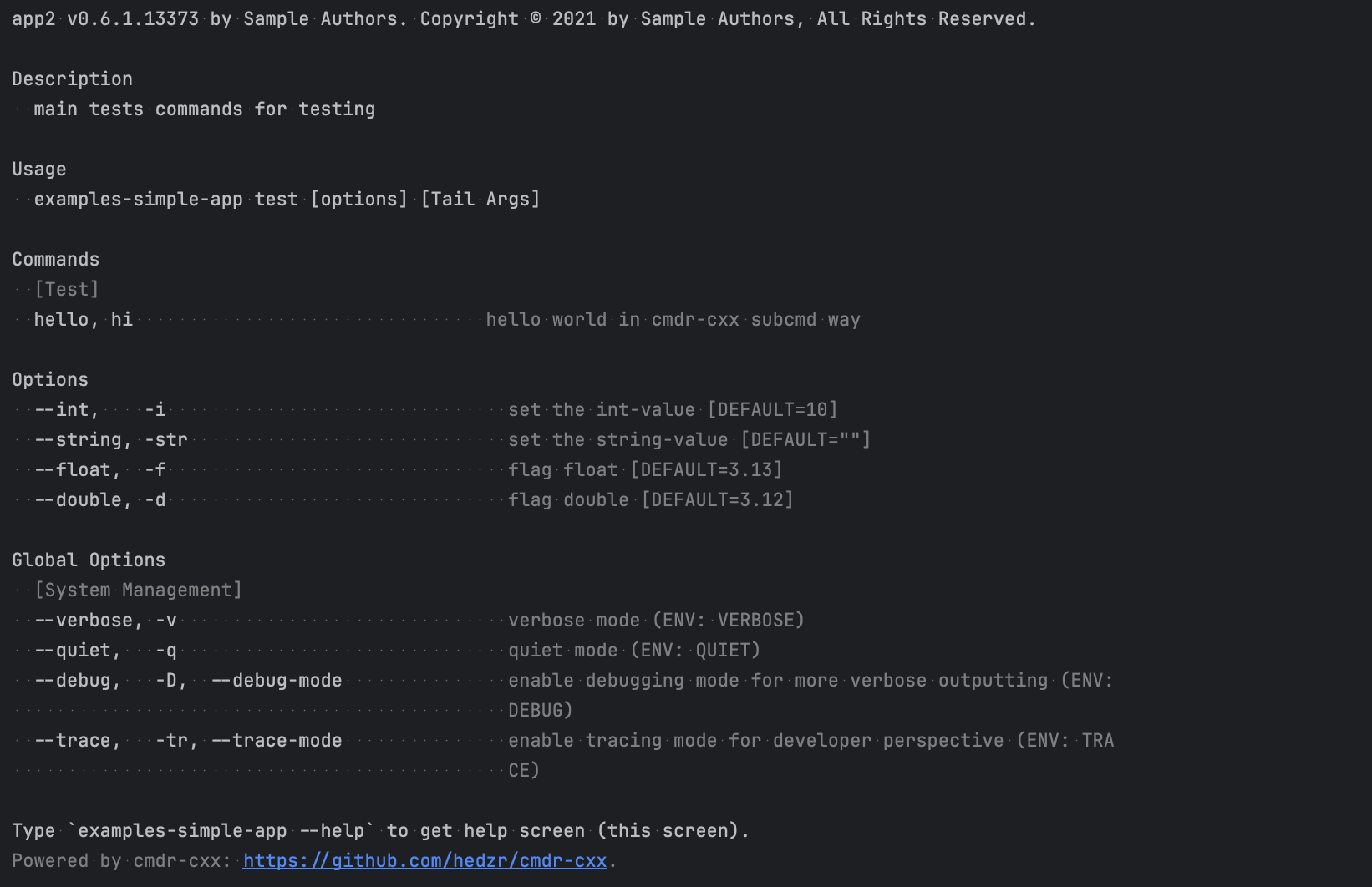
int: 0x0test 子命令的帮助屏为:
$ ./bin/examples-simple-app test
$ # Or
$ ./bin/examples-simple-app test --help截屏如下:
额外的话题
...todo
Learn More
What's Next?
What is Next?
How is this guide?
最后更新于